
Choose the right bundle type
Lime Bundles has six bundle types. Each one suits a different kind of offer. This guide helps you pick.
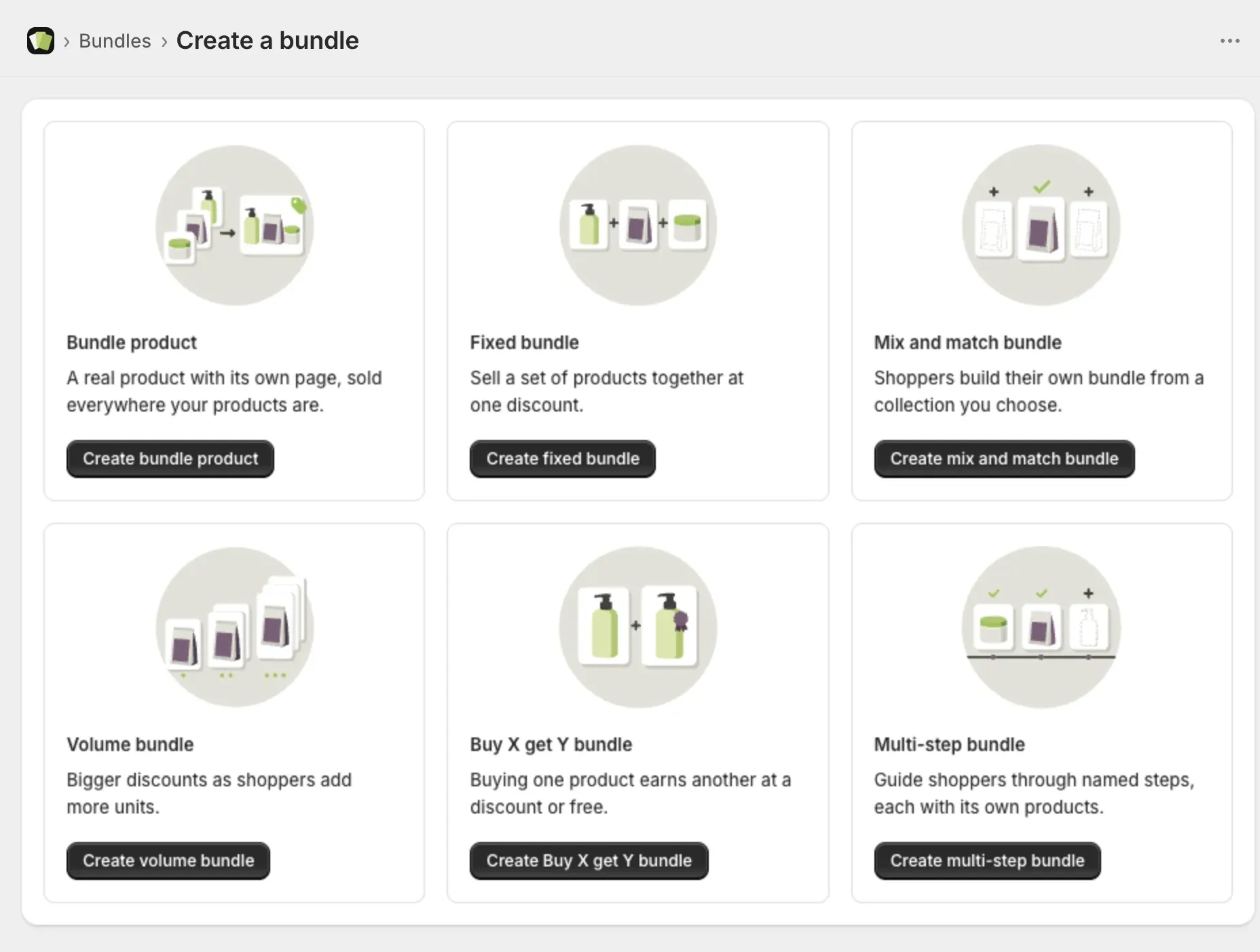
The quick answer
- You want the bundle to be its own product with its own page: choose Bundle product.
- You want to sell a set of products together: choose Fixed bundle.
- You want shoppers to build their own from a list: choose Mix and match bundle.
- You want shoppers to buy more of the same and save more: choose Volume bundle.
- You want to reward a purchase with a free or discounted item: choose Buy X get Y bundle.
- You want to guide shoppers step by step: choose Multi-step bundle.
Bundle product
A real product in your store, with its own page and price. Shoppers add it to the cart as one line. It sells everywhere your products sell.
Example: “The starter kit”, one product that holds a mug, a filter and a bag of coffee.
Good to know: it has no discount on Shopify’s Discounts page and no end date. See Bundle product: how it works and what to expect.
Fixed bundle
A set of products sold together at one discount. You decide what is in it and how many of each. It shows on your existing product pages.
Example: shampoo and conditioner together for 15% off.
Mix and match bundle
Shoppers choose their own items from products or collections you select. The discount applies when they have added the number of items you ask for.
Example: choose any 3 candles and save 20%.
Volume bundle
Bigger discounts as shoppers add more units. You set the tiers.
Example: buy 3 and save 5%, buy 6 and save 10%.
Buy X get Y bundle
Buying one product earns another at a discount, or free.
Example: buy a phone case, get a screen protector free.
Multi-step bundle
Shoppers move through named steps, and each step has its own products.
Example: step 1, choose a shampoo. Step 2, choose a conditioner. Step 3, choose a treatment.
What every type except Bundle product can do
Fixed, Mix and match, Volume, Buy X get Y and Multi-step bundles all show in the Lime Bundles app block on your product pages. They all support:
- A start date and an end date.
- A countdown timer.
- Showing only in the markets you choose.
- A/B testing.
- Your own design in Customize.
A Bundle product is a real product, so Shopify runs most of this for it. It supports a start date, and a “What’s in the bundle” list on its product page that you can style in Customize.
Can I change the type later?
No. A bundle keeps the type you created it with. To try another type, create a new bundle.