
How stock affects your bundles
Lime Bundles watches your stock so shoppers never see a bundle they can’t buy. This guide explains what the app does on its own, and what it asks of you.
This guide is about fixed, mix and match, volume, Buy X get Y and multi-step bundles. For bundle products, see the last section.
When you save: quantities can’t go above your stock
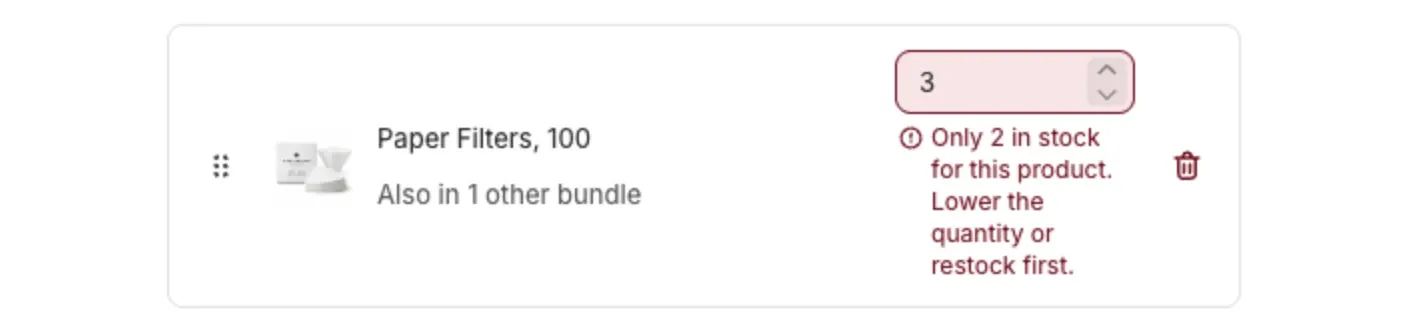
You can’t set a quantity, a minimum or a maximum higher than the stock you have today.
If you try, the bundle won’t save, and the field tells you why, like “Only 2 in stock for this product. Lower the quantity or restock first.”
To fix it, do one of these:
- Lower the number.
- Restock the product in Shopify, then save again.
Products without a stock limit
Two kinds of products aren’t limited by stock. Only the usual limit of 99 applies:
- Products where Track quantity is off in Shopify.
- Products set to Continue selling when out of stock.
If you want to schedule a bundle before its stock arrives, turn on Continue selling when out of stock for those products, or restock first.
When stock runs out: the bundle hides itself
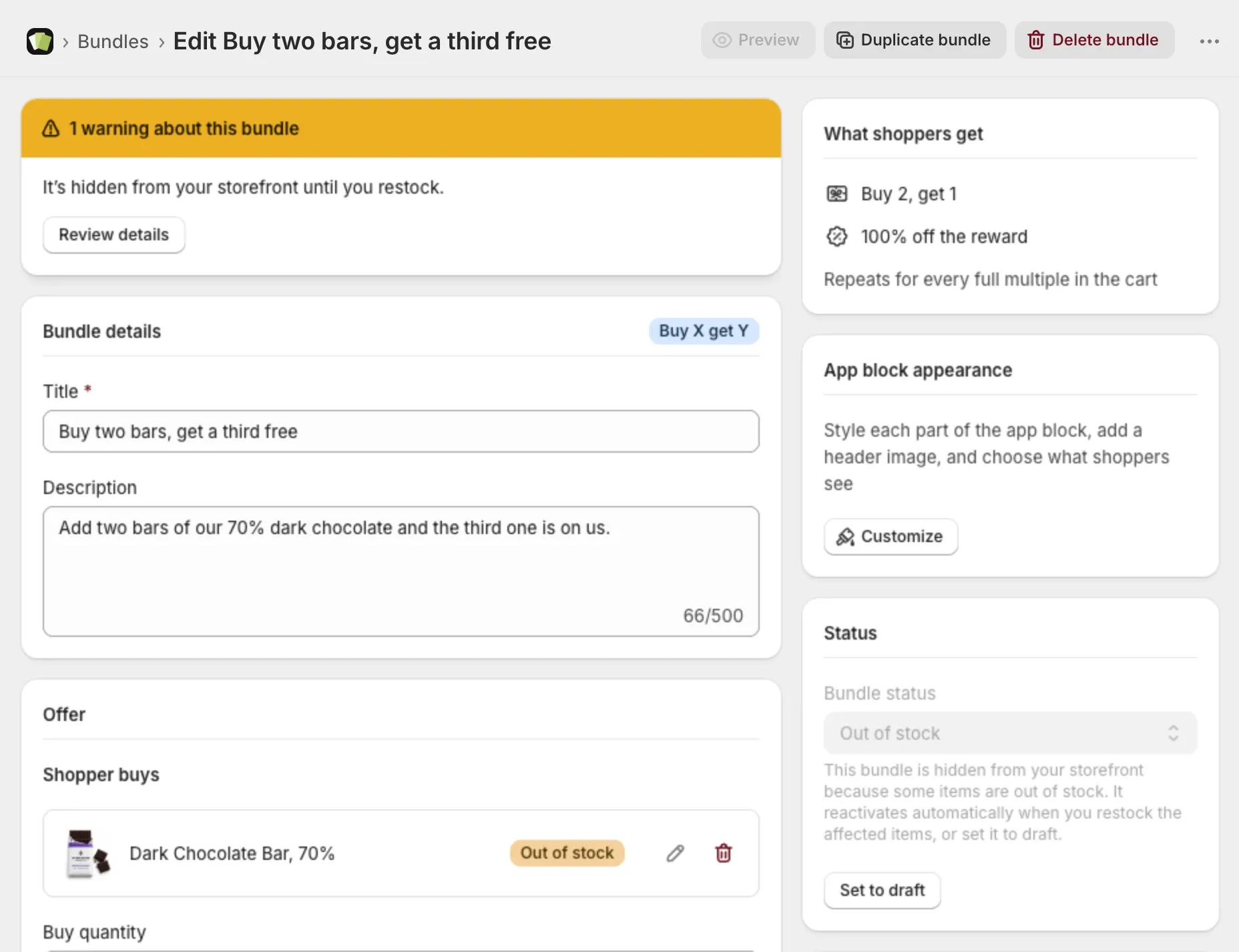
If a product in an active bundle runs out, the app hides the bundle from your store. Its badge changes to Out of stock.
This happens on its own, usually within minutes.
A bundle is only hidden when shoppers can’t complete it. If a mix and match bundle still has enough other products to choose from, it stays visible, and the sold-out product shows greyed out.
When you restock: the bundle comes back
Restock the product in Shopify and the bundle goes back to Active on its own. You don’t need to do anything in Lime Bundles.
It usually takes a few minutes, and never more than an hour.
While a bundle is out of stock
- You can still open it, edit it and save it. It stays Out of stock.
- The Bundle status field is locked. The app brings the bundle back for you.
- Select Set to draft if you’d rather hide it yourself. It then stays hidden until you set it to Active.
If stock drops below a number you already saved
You saved a bundle that includes 5 of a product, and later only 3 are left. The app doesn’t block your next save because of this. You didn’t cause it.
The bundle shows Out of stock until you restock or lower the quantity.
What shoppers see
- A sold-out product shows greyed out and can’t be added.
- The quantity selector stops at the stock you have.
- A bundle that can’t be completed doesn’t show at all.
Bundle products
A bundle product works differently. Shopify tracks its stock from the products inside it, and the app never hides it.
- Partly out of stock: some versions can’t be built. The others keep selling.
- Out of stock: no version can be built. The product page stays up and shows as sold out.