
The bundle discount isn't applying at checkout
If a shopper has the bundle’s products in their cart but no discount shows, work through these checks in order.
This guide is for fixed, mix and match, volume, Buy X get Y and multi-step bundles. A bundle product has no discount. It sells at its own price.
Check 1: The bundle is Active
Only an Active bundle gives a discount.
- In Lime Bundles, go to Bundles.
- Look at the bundle’s badge.
A bundle that is Draft, Scheduled, Expired, Out of stock, Can’t be sold, Sync failed or Paused gives no discount. See Bundle statuses explained.
Check 2: The cart holds the whole bundle
The discount applies only when the cart has everything the bundle asks for.
- Fixed: every product, in the right quantity.
- Mix and match: the full number of items, and every required product.
- Volume: at least the lowest tier’s quantity.
- Buy X get Y: the “buy” items and the “get” items.
- Multi-step: every step’s minimum.
If a shopper changes a quantity in the cart and breaks the bundle, the discount comes off.
Check 3: Require different products
If Require different products is on, three of the same item don’t count as three. The cart needs different products. See Require different products.
Check 4: An A/B test is running
While a bundle is in a running A/B test, the discount only applies when the shopper adds the bundle with its Add to cart button. Adding the same products one by one from their product pages gives no discount.
This ends when the test ends.
Check 5: The shopper’s market
If the bundle is set to Specific markets, shoppers in other markets get no discount. See Show a bundle only in certain markets.
Check 6: Another discount won
Shopify applies only one product discount to each item. If another discount covers the same item and saves more, Shopify uses that one.
Look at the discount names in the cart:
- Another bundle’s name shows: two bundles share the product. See When one product is in more than one bundle.
- A sale or code’s name shows: that discount saved the shopper more. See Discount combinations.
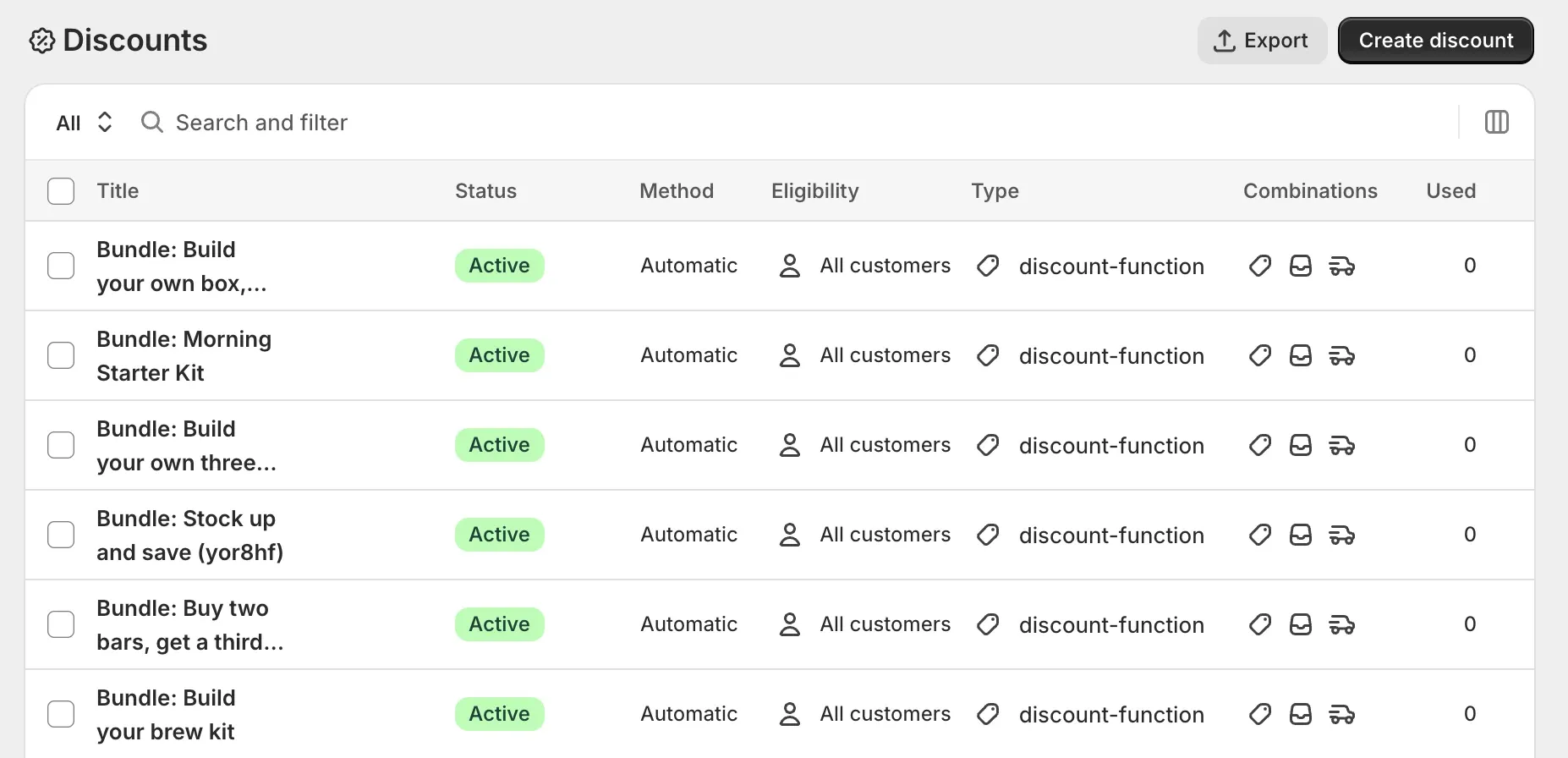
Check 7: The discount exists in Shopify
- In your Shopify admin, go to Discounts.
- Look for a discount named “Bundle:” followed by your bundle’s title.
- Check it reads Active.
If it is missing or expired while the bundle is active, open the bundle in Lime Bundles and select Save.
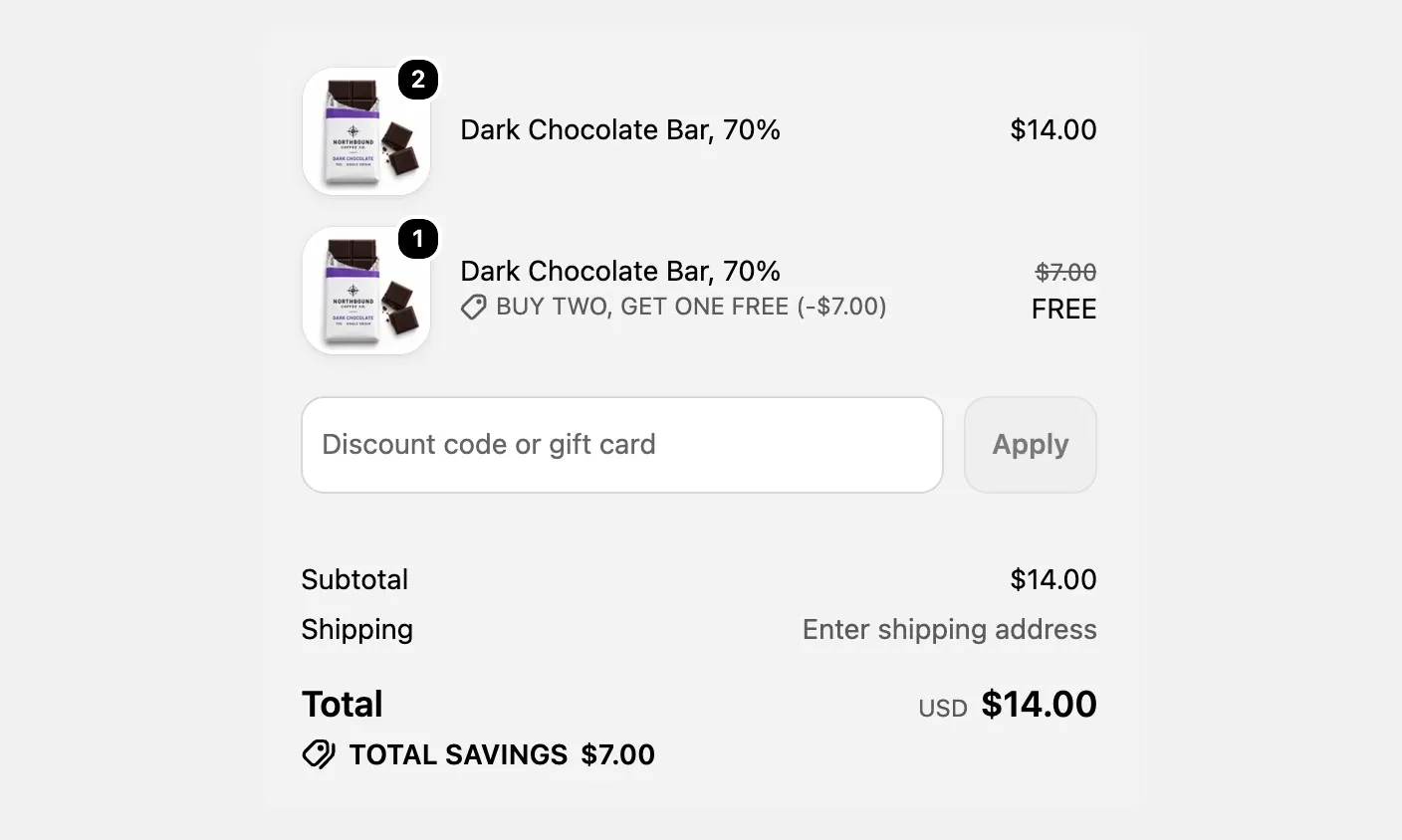
Check 8: Your cart shows discounts
Some themes only show discounts at checkout, not in the cart drawer. Go to checkout and look at the order summary.
Still not applying?
Email us with:
- The bundle’s name.
- The products and quantities in the cart.
- A screenshot of the cart or checkout.