
Find your way around the Home page
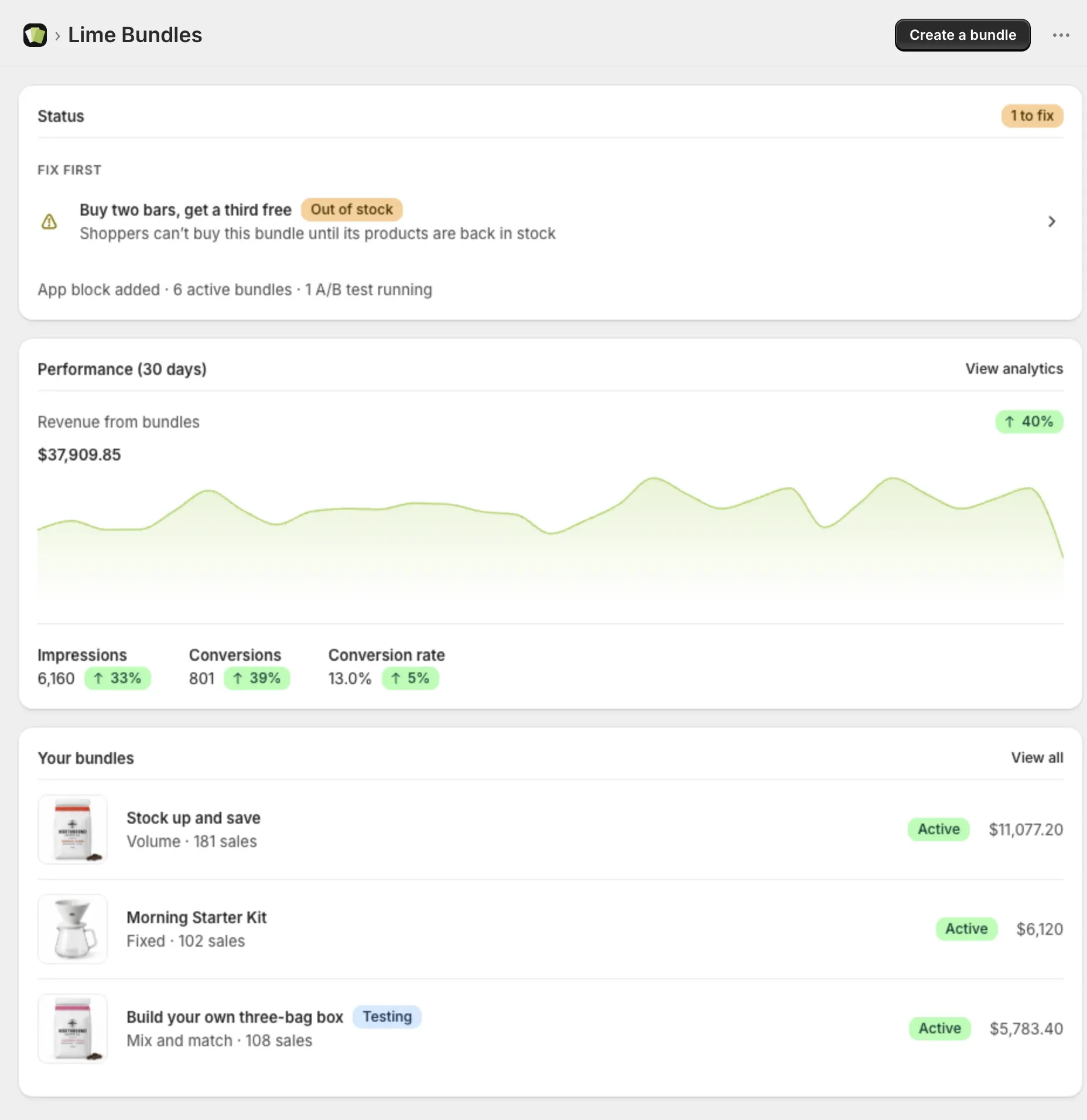
The Home page tells you at a glance whether your bundles are selling and whether anything needs fixing.
Get started
New stores see the Get started guide at the top. It has two steps:
- Add the bundle app block to your theme
- Create your first bundle
Each step ticks itself off when you finish it. When both are done, the guide says You’re all set.
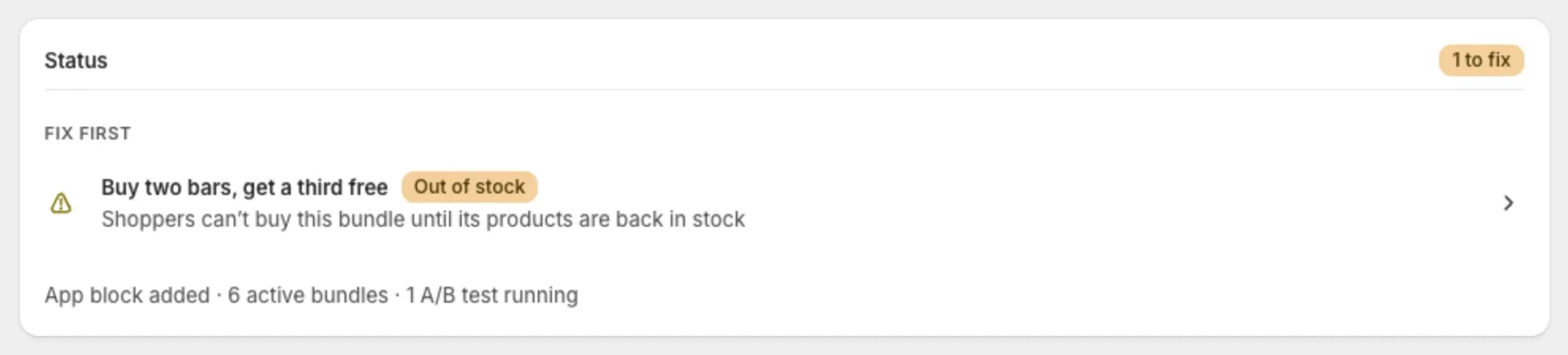
Status
The Status card has one badge:
- Ready: your store is set up, and no bundle is active yet.
- Running: your bundles are live and healthy.
- 1 to fix (or more): some bundles need your attention.
Under the badge you may see two lists.
Fix first lists bundles with a problem, and says what is wrong:
- “Shoppers can’t buy this bundle until its products are back in stock”
- “Shoppers can’t buy this bundle right now. Open it to see what’s blocking it.”
- “Not live on your storefront yet. Open the bundle to retry the sync.”
- “Ended but still set to active”
Select a bundle to open it and fix it.
Coming up lists bundles with a start date in the future.
The line at the bottom sums up your store, like “App block added · 2 active bundles · 1 A/B test running”.
Performance (30 days)
This card shows the last 30 days for all your bundles:
- Revenue from bundles
- Impressions: how many times shoppers saw a bundle.
- Conversions: how many bundles were bought.
- Conversion rate
Hover over the chart to see a single day. For more detail, go to Analytics. See Understand your bundle analytics.
Your bundles
A short list of your bundles with their status and sales. A bundle in an A/B test shows a Testing badge. Select View all to open the full list.
Banners about your plan
When your bundle sales get close to your plan’s monthly limit, a banner shows here. See What happens when you pass your plan’s sales limit.