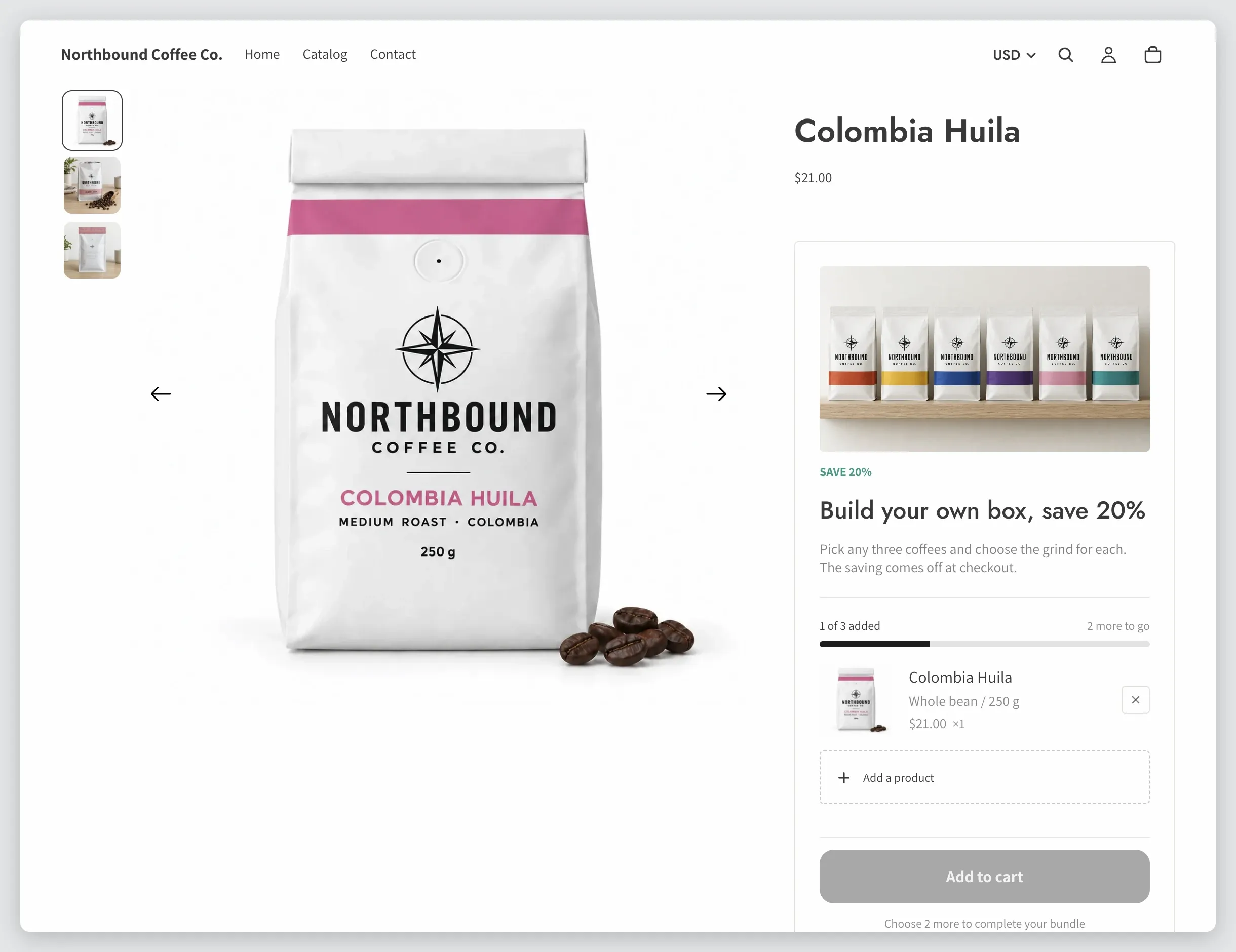
Getting started: from install to your first sale
Three steps take you from a fresh install to a bundle shoppers can buy: start your free trial, add the app block to your theme, and create a bundle.
Step 1: Start your free trial
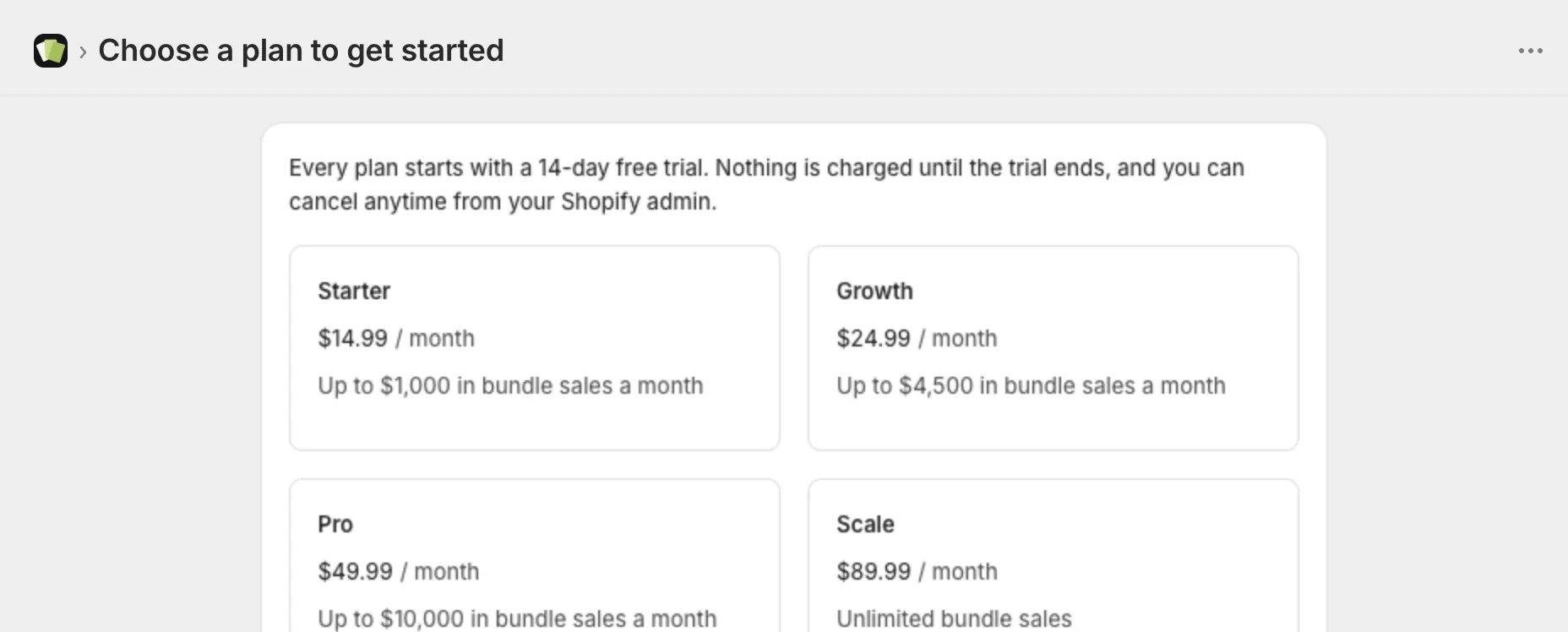
- Open Lime Bundles in your Shopify admin. The first page you see is Choose a plan to get started.
- Compare the plans. Every plan has every feature. They differ only in how much your bundles can sell each month.
- Select Start your free trial.
- On Shopify’s plan page, choose a plan and approve it.
Every plan starts with a 14-day free trial. Nothing is charged until the trial ends.
Development stores skip this step. They get every feature for free.
Step 2: Add the app block to your theme
The app block is what shows your bundles on your product pages.
- On the app’s Home page, find the Get started guide.
- Select Add app block to theme. Your theme editor opens on the product page with the block already added.
- Drag the Lime Bundles app block to where you want bundles to appear. Below the price and buy buttons works well.
- Select Save in the theme editor.
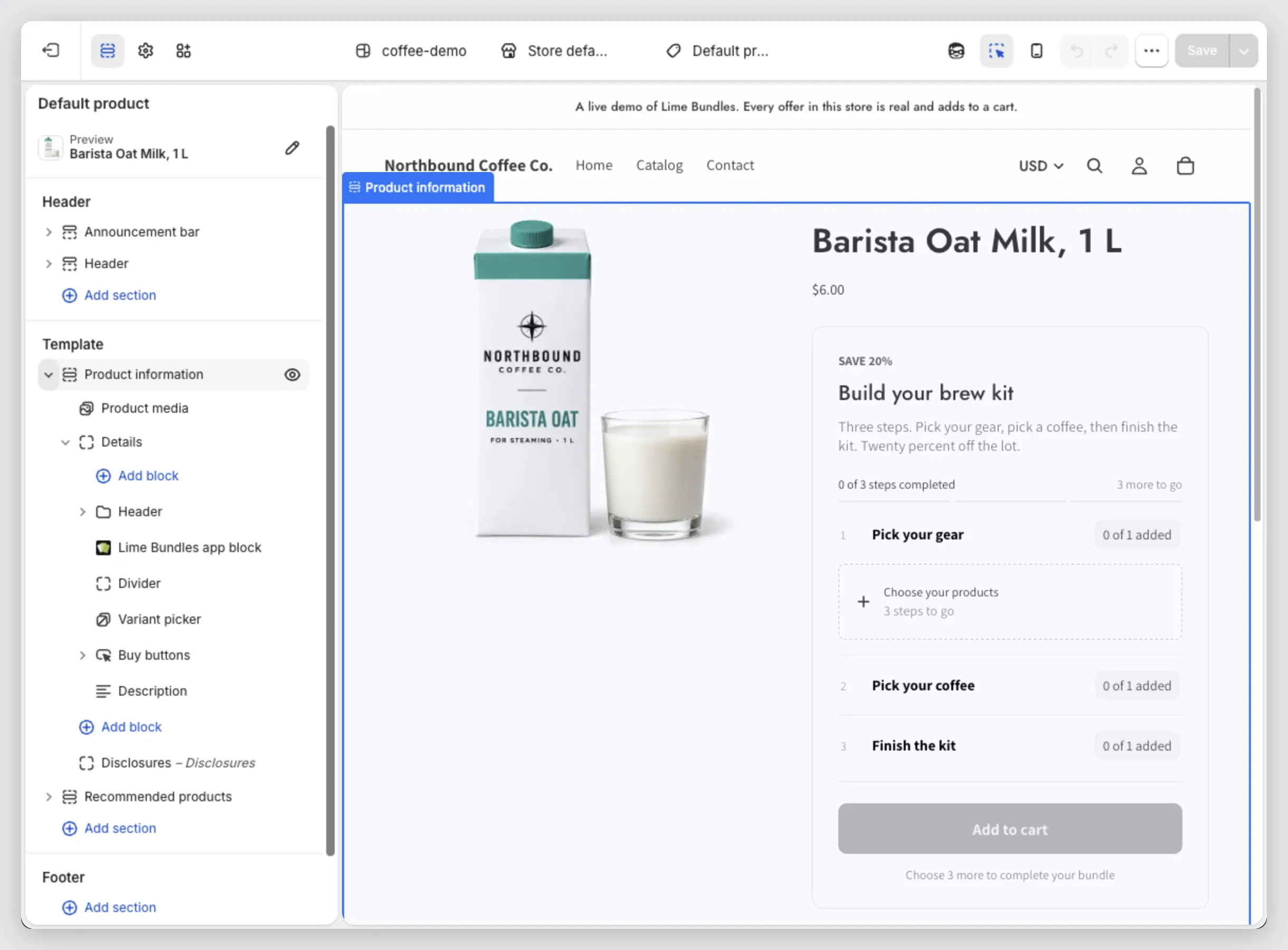
Go back to the app. The step ticks itself off.
Step 3: Create a bundle
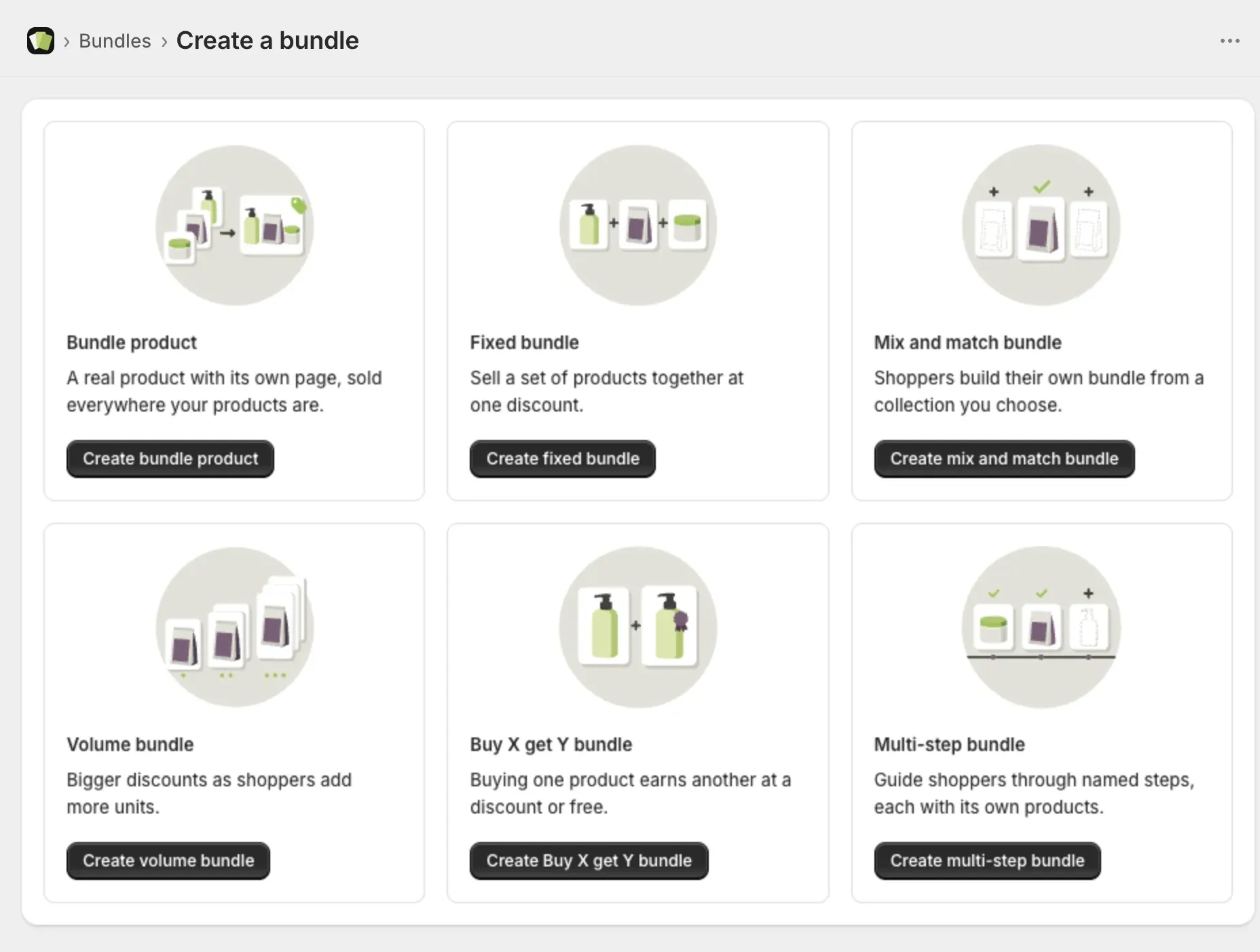
- Go to Bundles and select Create a bundle.
- Choose a bundle type. Not sure which one? See Choose the right bundle type.
- Enter a Title. Shoppers see this as the bundle’s heading.
- Select the products and set the discount.
- In the Status card, set Bundle status to Active.
- Select Save.
Step 4: See it on your store
- Open the bundle.
- Select Preview at the top of the page.
Your storefront opens on the page where the bundle shows. Preview only works on an Active bundle.