
Uninstall and reinstall Lime Bundles
If you uninstall Lime Bundles, your bundles are kept for about 48 hours. Reinstall within that time and you can bring them back.
What happens when you uninstall
- Your bundles stop showing on your store, and their discounts stop applying.
- Your plan is cancelled. Shopify stops the charge.
- Running A/B tests end.
- Your bundles and their analytics are kept for about 48 hours. After that, Shopify requires the app to delete them.
Bundle products are real products in your store, so they stay in your catalog. Shopify archives them when you uninstall, so shoppers can no longer buy them. On your Products page they show as Archived, with a note from Shopify that the product is no longer managed by a bundles app.
Before you uninstall
If you only want to stop selling bundles for a while, you don’t need to uninstall. Set your bundles to Draft instead.
- Go to Bundles.
- Tick the bundles.
- Select Set to draft.
Reinstall and restore your bundles
- Install Lime Bundles again from the Shopify App Store.
- Choose a plan.
- The Welcome back page opens. It tells you how many bundles are still saved.
- Select Restore my bundles.
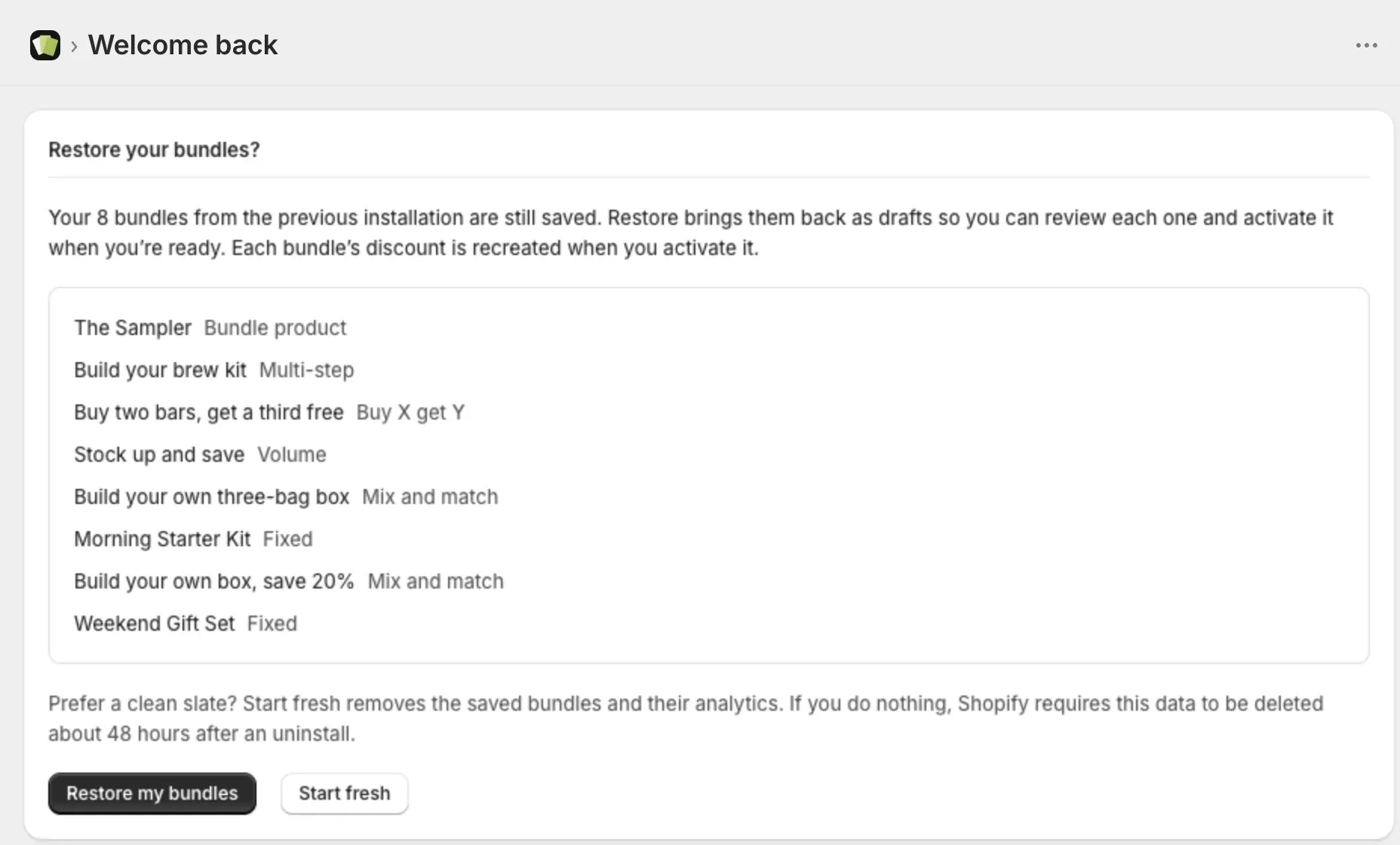
Your bundles come back as drafts, so you can check each one first.
Activate your restored bundles
- Go to Bundles.
- Open a bundle and check it.
- Set Bundle status to Active and select Save.
The bundle’s discount is recreated when you activate it.
To activate several at once, tick them in the list and select Set to active.
A restored bundle product shows Inactive, because Shopify archived its product when you uninstalled. Set it to Active the same way. The product is unarchived and sells again.
Start fresh instead
If you’d rather begin again with nothing:
- On the Welcome back page, select Start fresh.
- Read what will be removed.
- Confirm.
This removes your saved bundles and their analytics. You can’t undo it.
After about 48 hours
If you reinstall after your data has been deleted, the app opens like a new install. Create your bundles again.
A bundle product from before is still in your catalog as an archived product. Delete that product in Shopify and create the bundle product again in Lime Bundles.
The app block in your theme
Uninstalling doesn’t remove the Lime Bundles app block from your theme. After you reinstall, the block usually works again without any change.
If the Home page asks you to Add the bundle app block back to your theme, select Add app block to theme. See Add the app block to your theme.
Good to know
- Your custom CSS is kept with your bundles, and removed if you choose Start fresh.
- If restoring fails, nothing is removed. You can try again.