
How to create a Buy X get Y bundle
A Buy X get Y bundle rewards a purchase. The shopper buys one product and gets another at a discount, or free.
Step 1: Start the bundle
- In Lime Bundles, go to Bundles.
- Select Create a bundle.
- Under Buy X get Y bundle, select Create Buy X get Y bundle.
- Enter a Title, and a Description if you want one.
Step 2: Set what the shopper buys
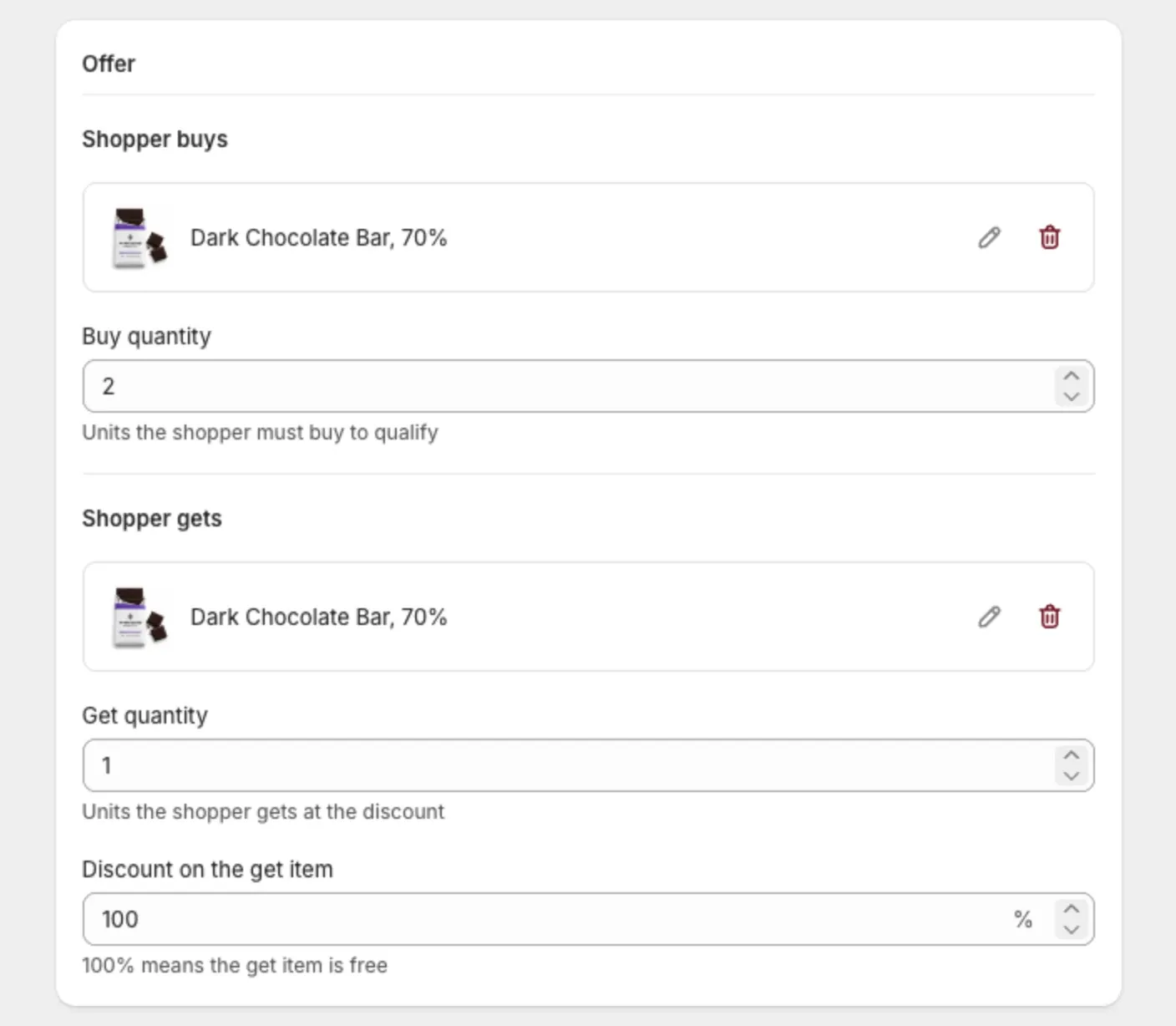
- In Offer, under Shopper buys, select the product.
- Enter the Buy quantity. This is how many units the shopper must buy to qualify.
Step 3: Set what the shopper gets
- Under Shopper gets, select the product.
- Enter the Get quantity. This is how many units the shopper gets at the discount.
- Enter the Discount on the get item, as a percentage. Enter 100 to make it free.
Step 4: Name the discount
In Discount, check the Discount name. The app writes one for you, like “Buy 1 get 1 50% off”. Shoppers see it in their cart and at checkout.
Step 5: Go live
- In the Status card, set Bundle status to Active.
- Select Save.
What shoppers see
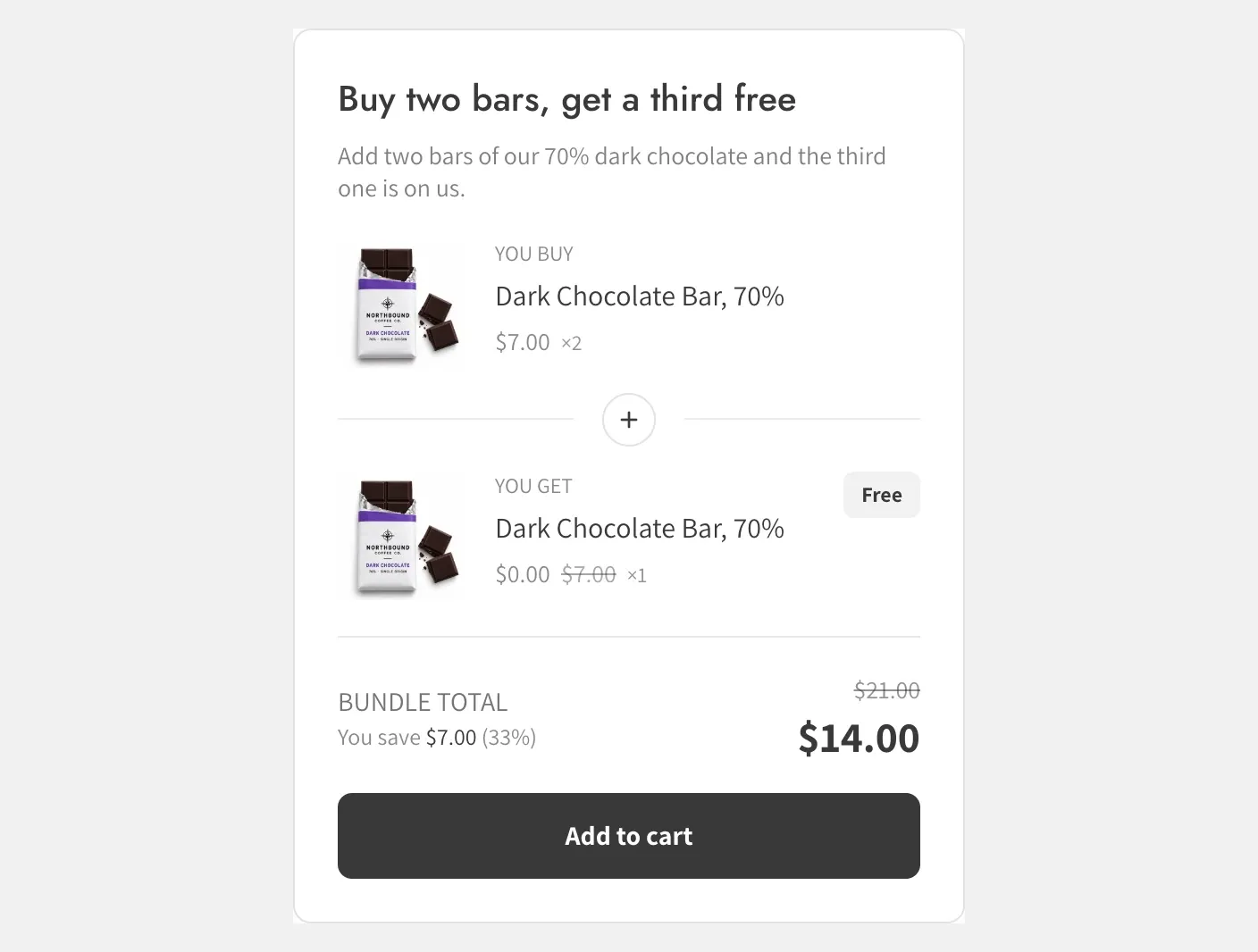
The bundle shows two rows: You buy and You get. The reward row shows its discounted price, with the original price crossed out. A free reward shows a Free tag.
Good to know
- The discount is always a percentage on this type.
- The offer repeats for every full set in the cart. With “buy 2 get 1”, a cart with 4 buy items and 2 get items earns the discount twice.
- Buying only the “buy” product earns no discount. The “get” product must be in the cart too.
- The buy and get product can be the same product. Choose different variants for each side if you need to.
- Each side holds one product.